
VJ Stage turns iPad into a full VJ rig — an audio visualizer and live video mixer built for clubs, festivals, and studio sessions. Launch video loops from a clip launcher, stack generators and layers, sculpt FX, and ride reactive modulations locked to the beat. Send your program to LED walls and projectors over NDI or AirPlay, or wire MIDI and OSC into your synth, DJ, and lighting stack. Whether you VJ alongside a DJ set or drive visuals from your own music, the workflow stays stage-ready — not buried in menus.
Clip launcher · loops · layers
Perform live visuals
with layers, not menus
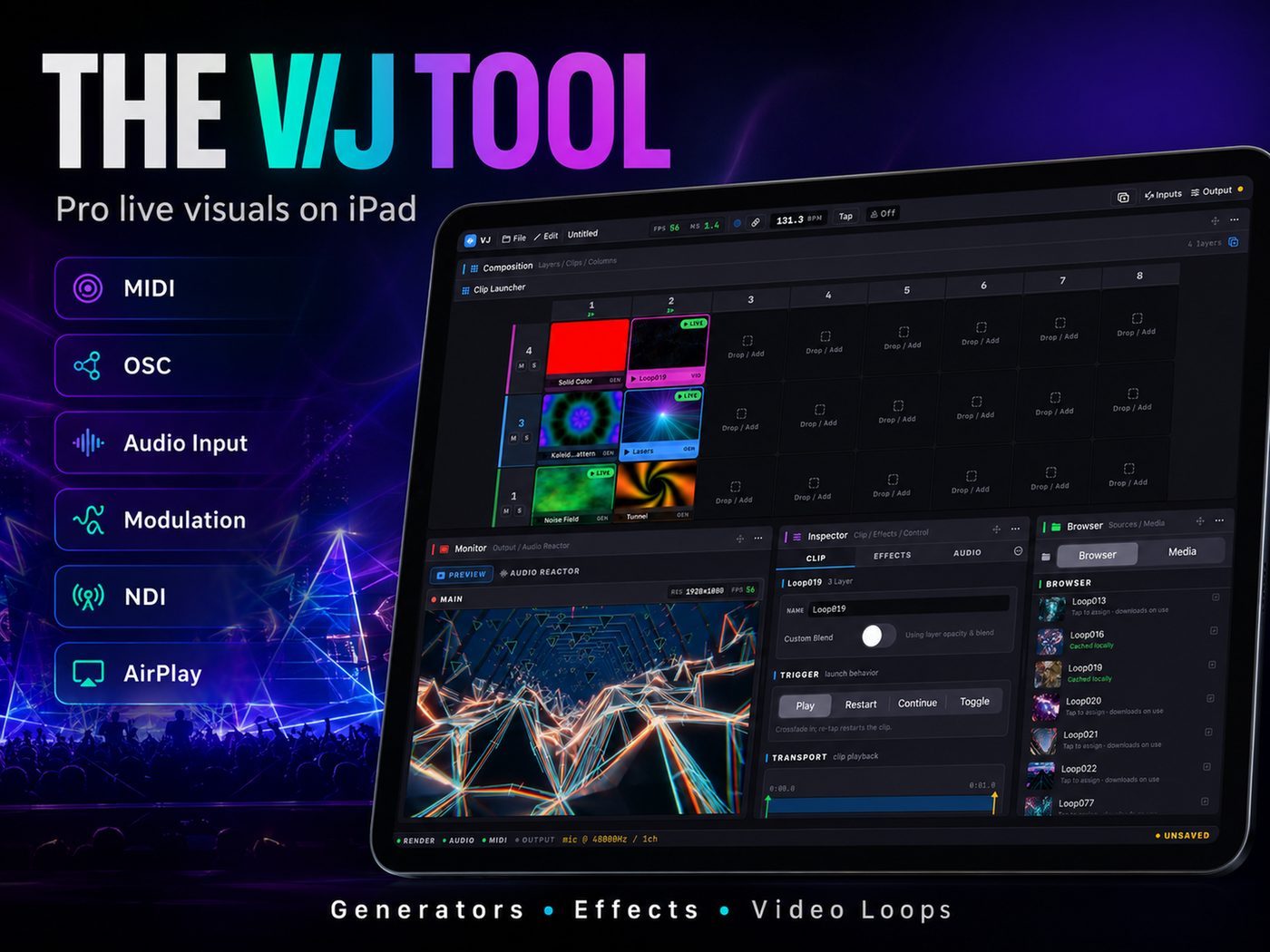
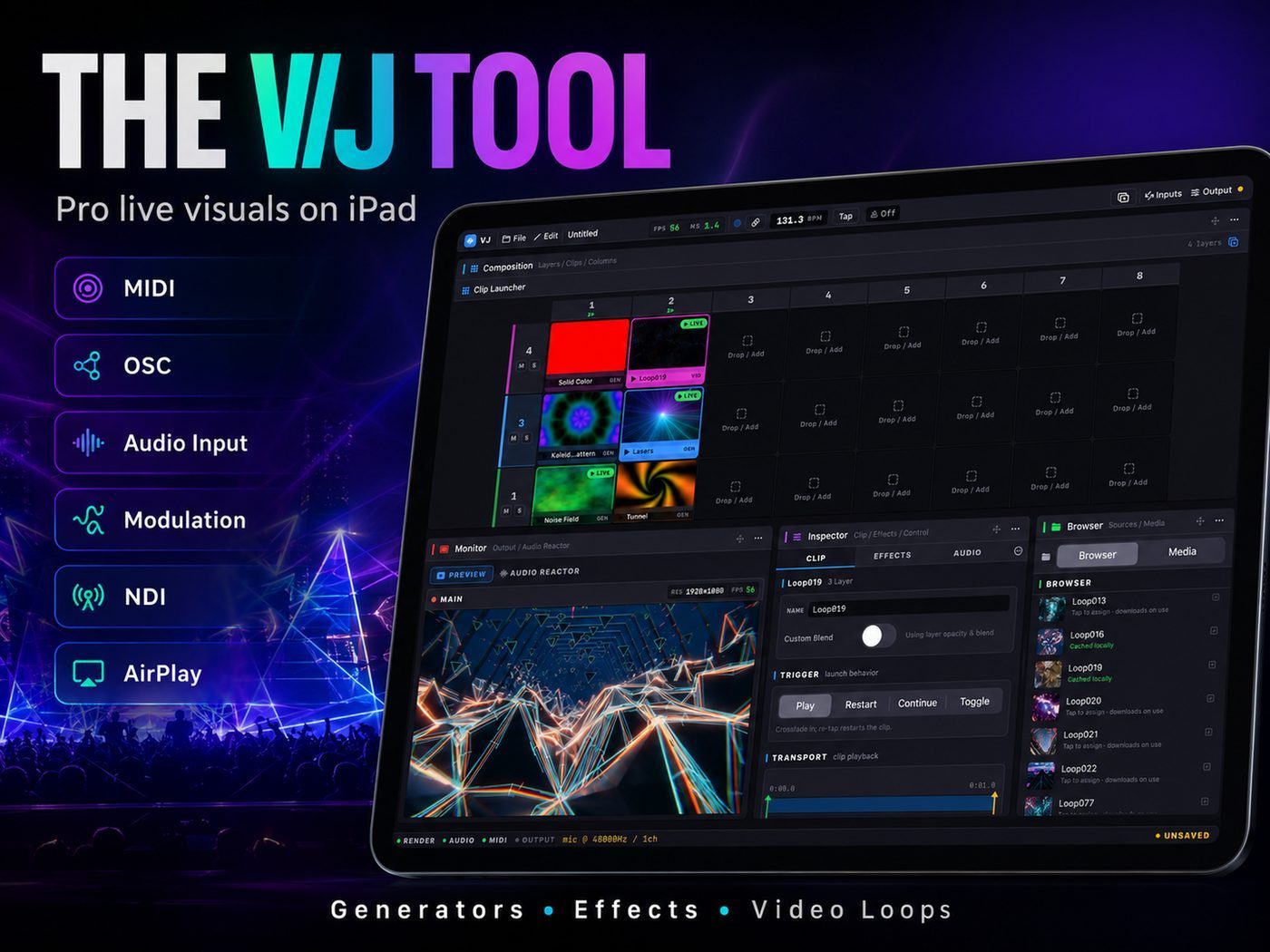
A Resolume-inspired workflow on iPad: browse media, trigger clips from the launcher, inspect parameters, and keep a live preview under your fingertips. Built for vjing — loops, generators, and blend modes in one performance surface.
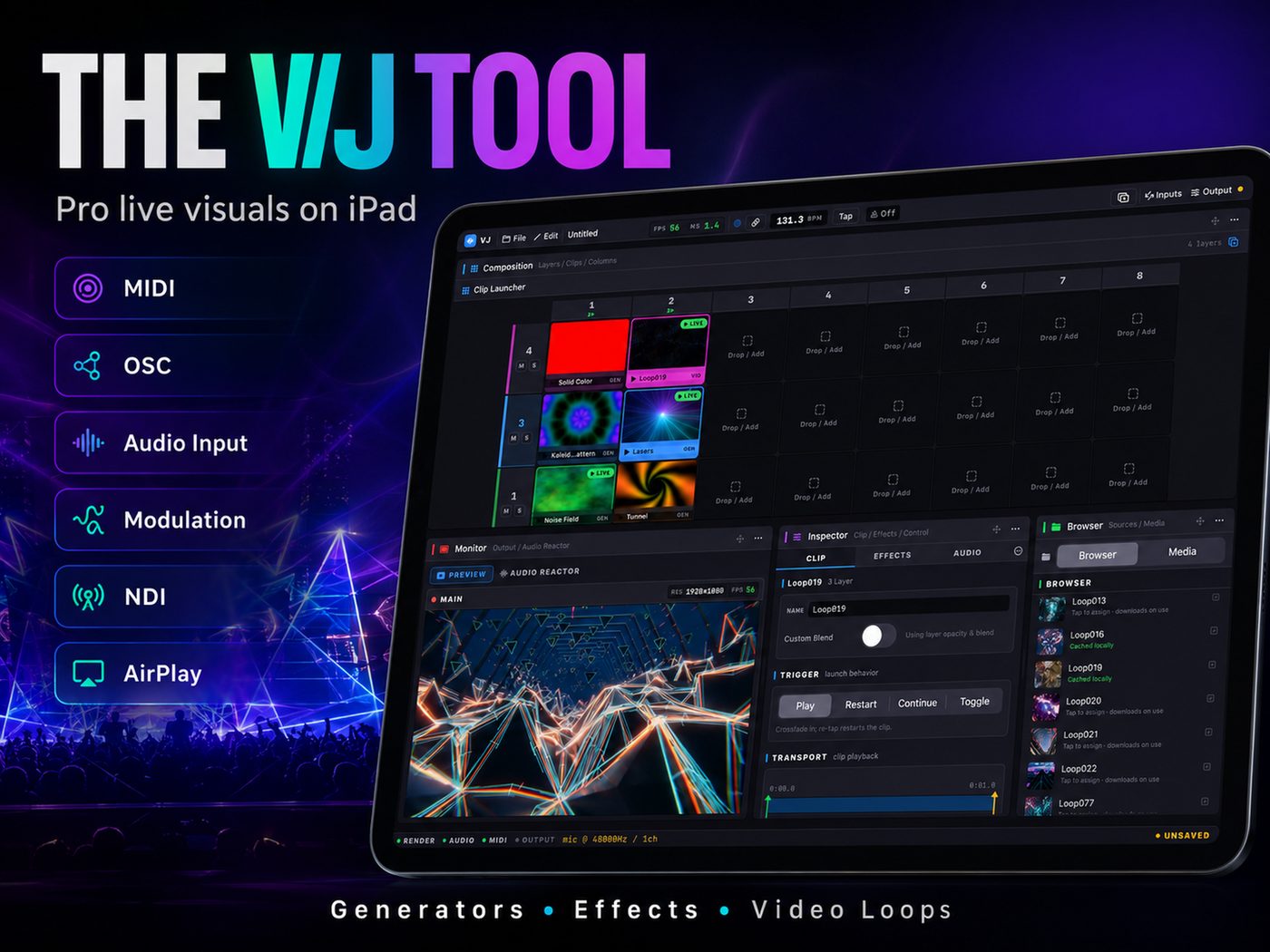
Clip launcher grid
Launch video loops on the beat — a stage-ready grid for DJs, performers, and visual artists.
Layer blending
Stack clips and generators, blend modes included, for complex live visuals without desktop software.
Performance FX
Push FX in the moment — transitions and beat-synced effects that ride the music.
Beat & reactive mod
Tie parameters to audio analysis so your visualizer reacts to kicks, highs, and energy in the mix.
NDI · AirPlay · MIDI · OSC
Output & control
for any venue
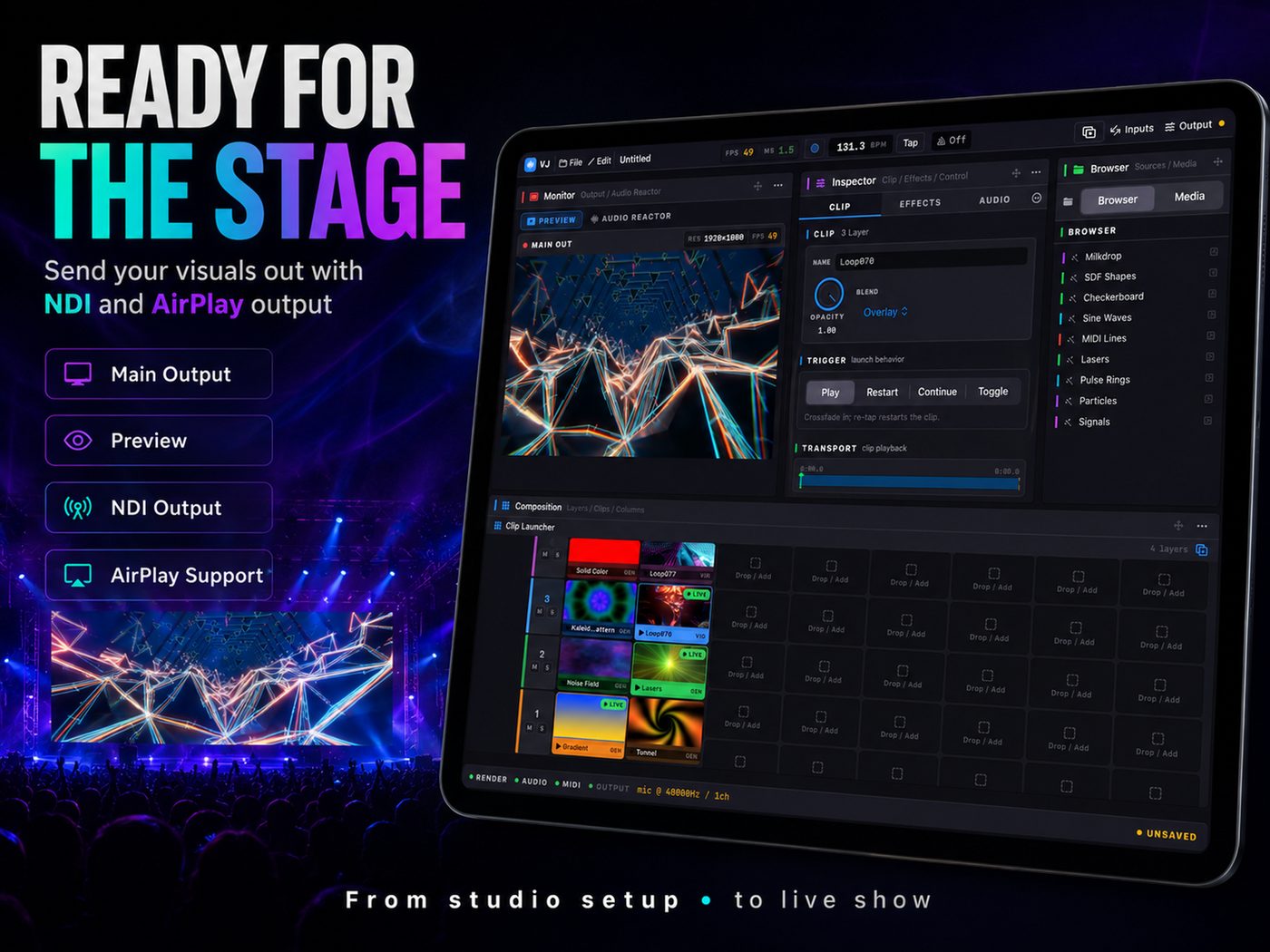
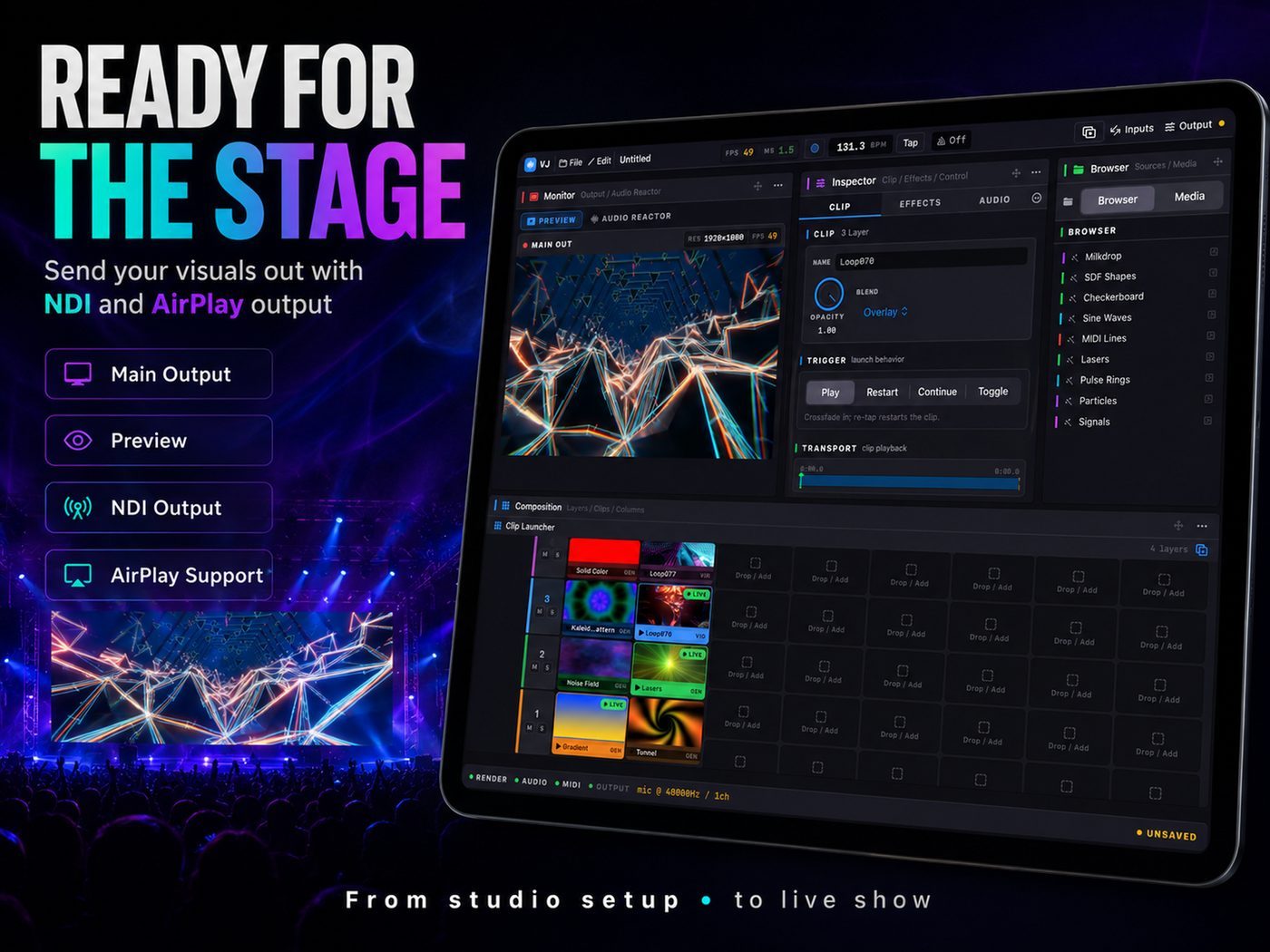
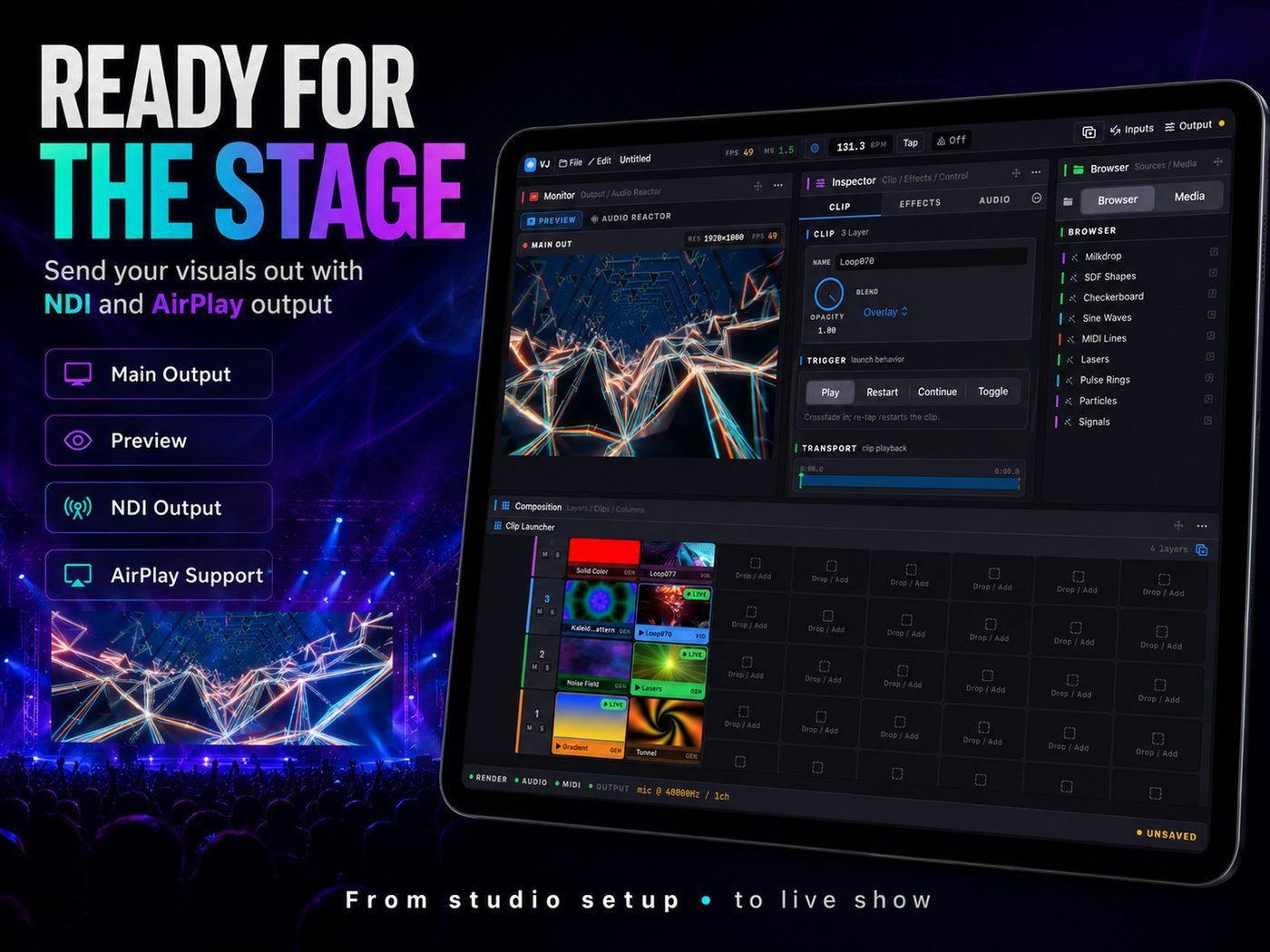
Preview locally, then push the main program out. NDI feeds OBS, Resolume, and venue switchers; AirPlay covers quick installs. MIDI and OSC let you map hardware controllers, synth rigs, and lighting — full performance integration from one iPad.
Audio visualizer for live music
Reactive visuals
that follow the beat
VJ Stage analyzes incoming audio and drives reactive modulations across layers and FX. Pair with a DJ set, live synth performance, or playback from your library — the audio visualizer keeps visuals locked to the music without manual keyframing.
iPad VJ software · Resolume workflow
Portable VJ rig
without the flight case
Desktop VJ software like Resolume Arena is powerful — but not every gig needs a laptop. VJ Stage packs clip launching, layer mixing, generators, and NDI output into iPad-native VJ software. Ideal for mobile DJs, festival side stages, and artists who want live visuals without hauling a tower.
Showcase
From studio rehearsal
to live show
One iPad. A full VJ performance surface — clip launcher, reactive audio visualizer, and NDI output for artists who want power without a flight case of gear.
Live visuals & video mixer software for iPad
Professional vjing once meant a laptop, capture cards, and heavyweight VJ software. VJ Stage brings that live visuals workflow to iPad: a clip launcher for video loops, layer blending for complex compositions, procedural generators, and a full FX rack you perform with — not edit on a timeline. It works as an audio visualizer when you want visuals driven by music, and as a video mixer when you need deliberate layer control for club installs, festivals, and streaming.
Output over NDI or AirPlay connects to the rest of your rig — OBS for streams, Resolume for hybrid setups, venue LED processors, or a simple projector. MIDI and OSC extend control to hardware pads, DJ controllers, synth parameters, and lighting desks. Whether you perform alongside a DJ, run visuals for your own live music, or build reactive looks for synth sessions, VJ Stage keeps the performance surface under your hands.
Clip launcher, reactive FX & beat-synced performance
The clip launcher is the heart of live VJ work: trigger loops on the downbeat, swap layers through a breakdown, and push FX when the drop hits. VJ Stage adds audio-reactive modulation so parameters respond to kicks, transients, and overall energy — your visualizer breathes with the track instead of looping blindly. Generators fill gaps between clips; blend modes and performance FX make transitions feel intentional.
VJ Stage is free to download on the App Store. Unlock PRO when your shows need the full performance toolkit — extra loops, advanced routing, and pro output options. From bedroom streams to main-stage installs, it is VJ software built for artists who want Resolume-style power on the device they already carry.
FAQ
Questions about
VJ Stage
What is VJ Stage — is it an audio visualizer or a video mixer?
Both. VJ Stage works as an audio visualizer with reactive modulations driven by incoming music, and as a live video mixer with clip launcher, layer blending, generators, and performance FX. You can perform loops on the beat or sculpt layered compositions for club and festival installs.
Does VJ Stage support NDI output for live venues and streaming?
Yes. Send your main program over NDI to OBS, Resolume, venue switchers, or any NDI-capable receiver on the same network. AirPlay is also available for quick projector and display routing without extra hardware.
Can I control VJ Stage with MIDI or OSC?
Yes. VJ Stage accepts MIDI and OSC input so you can map clip triggers, faders, and FX to hardware controllers, DJ gear, synth rigs, or lighting software. Standard protocols mean your existing performance setup can drive visuals without custom scripts.
How does VJ Stage compare to Resolume for iPad VJing?
Resolume Arena is the desktop standard for professional VJ software. VJ Stage brings a similar clip-launcher and layer-mixing workflow to iPad — with NDI output, audio-reactive FX, and touch-first performance. Many artists use VJ Stage as a portable rig or NDI source alongside Resolume on a main machine.
Does VJ Stage sync visuals to the beat for DJ sets?
Yes. Audio analysis drives reactive parameters and beat-aware performance — launch clips on rhythm, modulate FX from transients, and keep your live visuals aligned with the DJ or playback source feeding the app.
What do I need to start vjing with VJ Stage on iPad?
An iPad running iPadOS 18 or newer, your video loops or the built-in library, and an output path — NDI to a projector or stream, AirPlay to a display, or local preview for rehearsal. Add a MIDI controller or OSC source when you want hands-on control beyond the touchscreen.
Guides & resources
VJ guides for
performers & visual artists
Learn how to VJ on iPad with NDI output, MIDI and OSC control, audio-reactive workflows, and Resolume-style live performance using VJ Stage.
How to VJ on iPad: Live Visuals Workflow with VJ Stage
Start vjing on iPad with VJ Stage. Clip launcher, video loops, layer blending, reactive FX, and NDI output — a complete live performance guide for visual artists.
Read guide →NDI Output for Live VJ: Stream & Venue Setup with VJ Stage
Send live visuals from iPad over NDI. Connect VJ Stage to OBS, Resolume, venue switchers, and projectors — no capture card required.
Read guide →MIDI & OSC Control for Live VJ Performance on iPad
Map MIDI controllers and OSC to VJ Stage. Trigger clips, ride FX, and sync visuals with DJ gear, synths, and lighting software.
Read guide →Audio-Reactive Visuals for DJ Sets: Beat-Synced VJ Performance
Make your audio visualizer follow the music. Reactive FX, beat sync, and live modulation for DJ sets and live performance with VJ Stage.
Read guide →Resolume Alternative on iPad: Portable VJ Software for Live Visuals
Compare iPad VJ software to Resolume Arena. Clip launcher, layers, NDI, and reactive FX — when VJ Stage fits your live performance rig.
Read guide →Video Loops & Generators: Building a VJ Clip Library
Organize video loops and procedural generators for live VJ sets. Clip launcher tips, beat sync, and performance FX with VJ Stage.
Read guide →Gallery
See VJ Stage
Download VJ Stage
Free on the App Store — unlock PRO when you need the full live visuals & video mixer toolkit.