

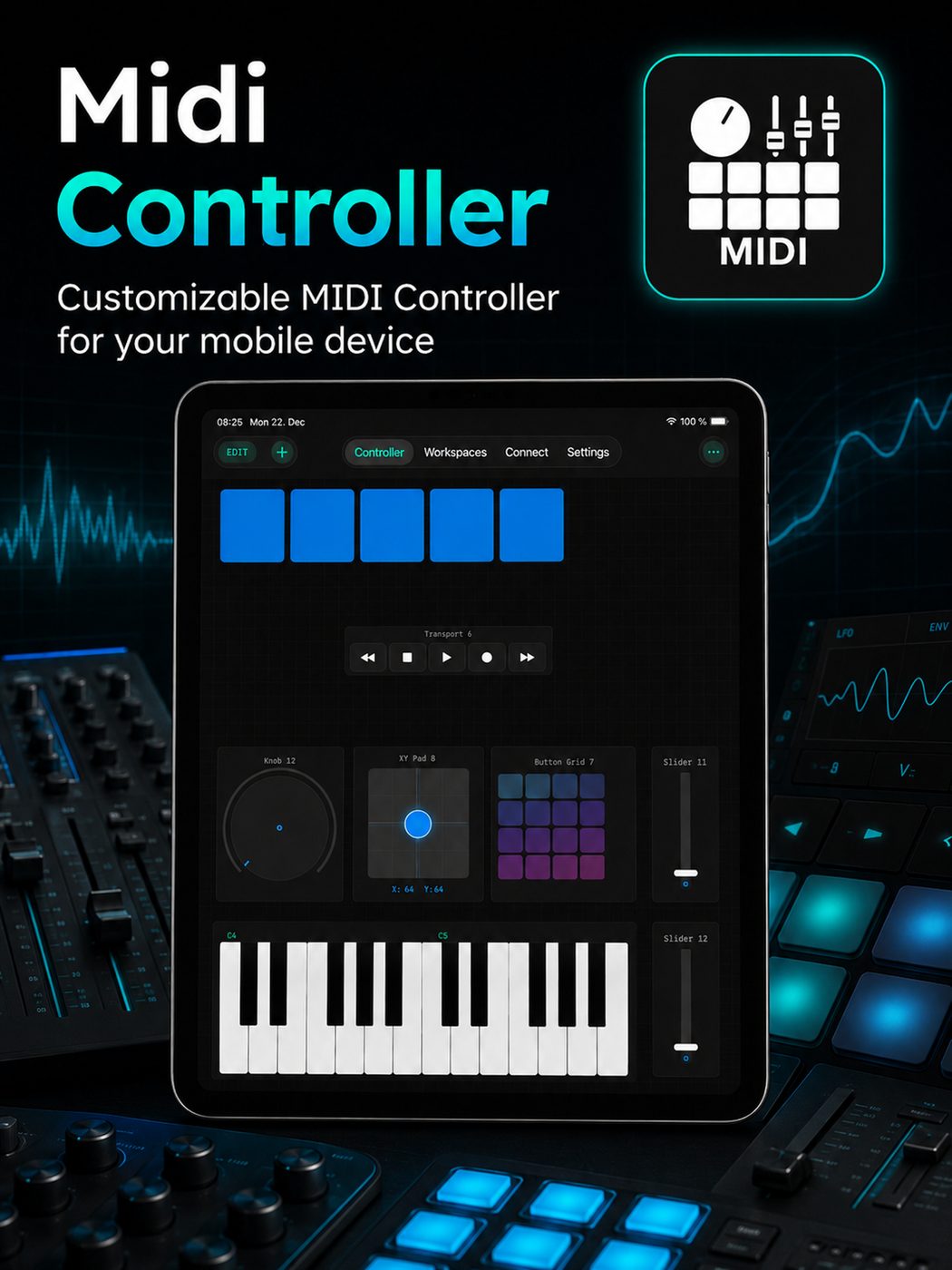
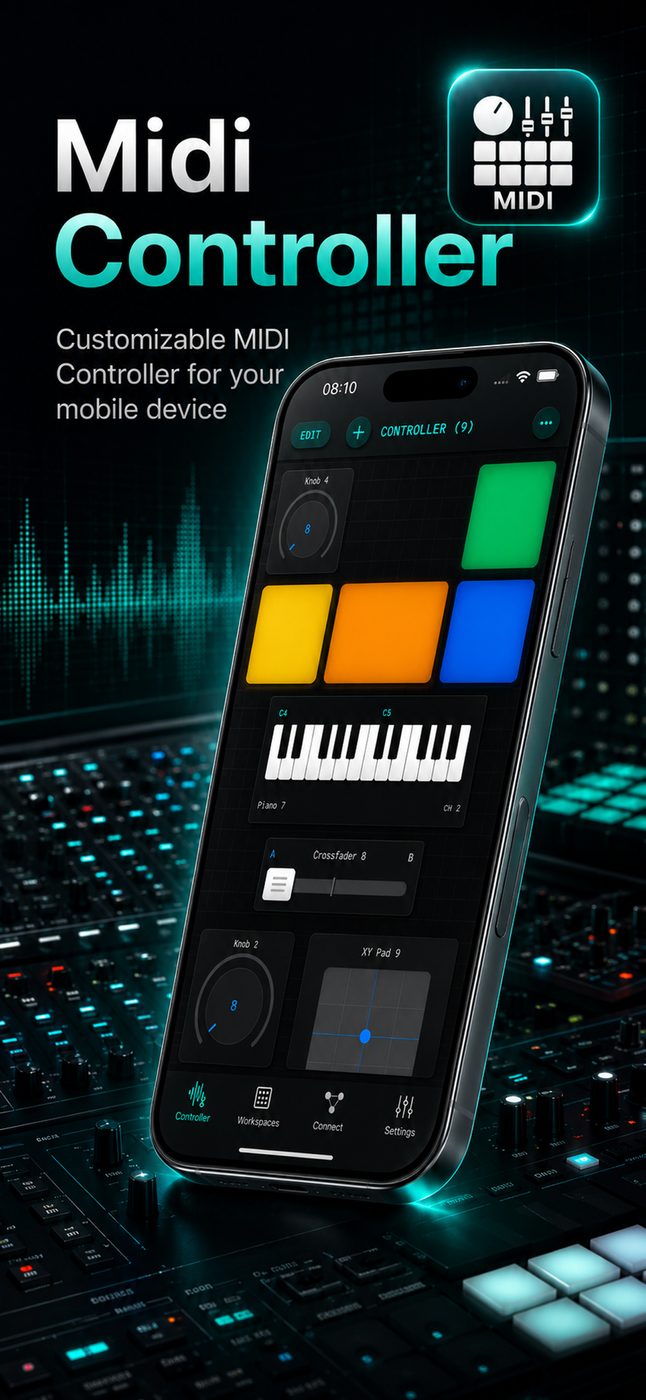
MIDI Controller PRO is a virtual control surface for iPhone and iPad — build your own layout with keyboard, velocity pads, faders, knobs, sliders, button grids, XY pads, chorders, and step sequencers. Map MIDI CC for remote mixing, clip launching, and live performance, then connect wirelessly over Bluetooth or Wi‑Fi, or plug in via USB. Works as a DAW remote for Ableton Live, FL Studio, Logic, and any MIDI-ready studio software.
Unlimited layouts
Build your own
MIDI control surface
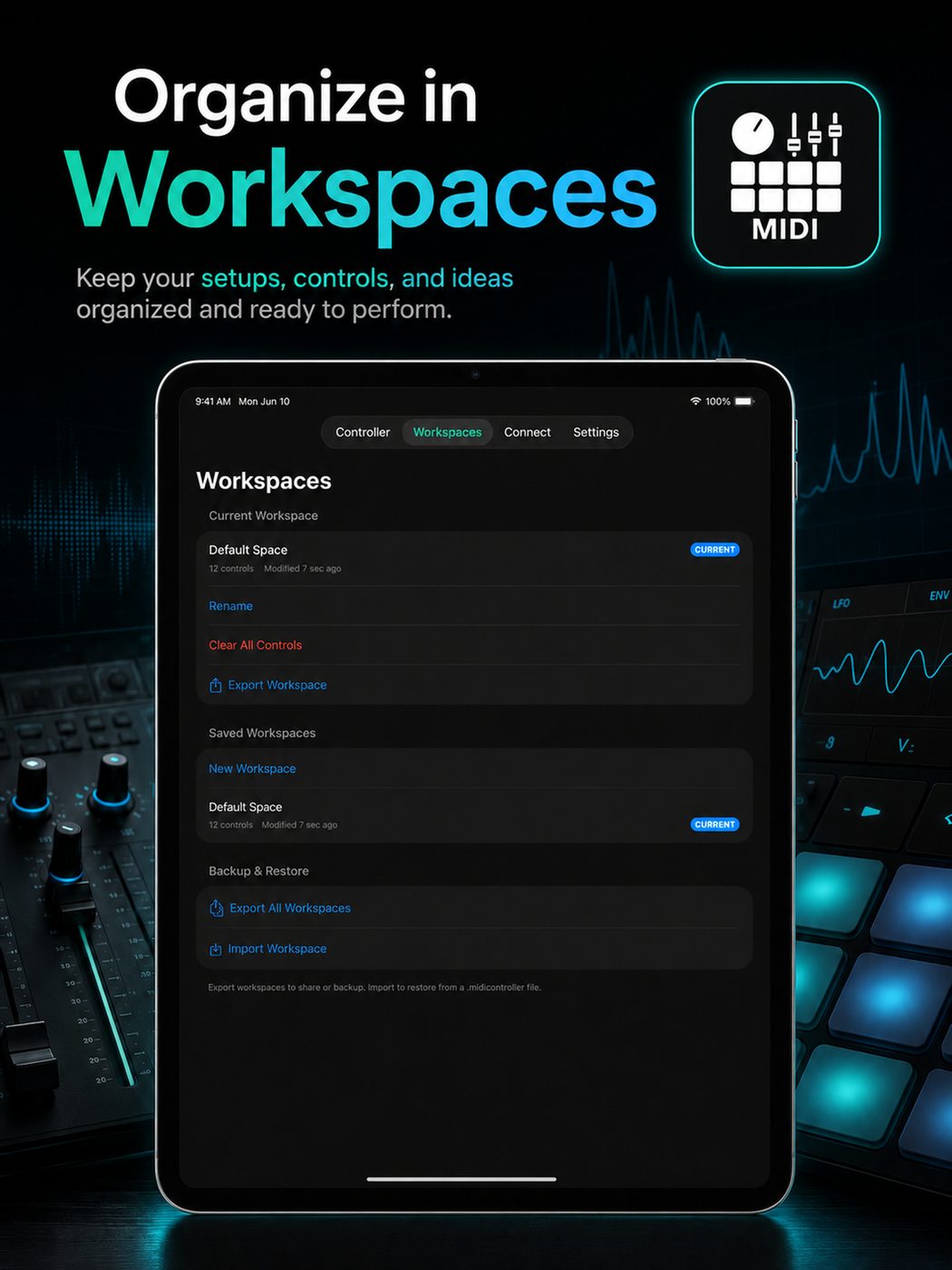
Drop pads, keyboard, faders, knobs, and sliders onto a flexible workspace. Shape a virtual controller that matches your live set, studio workflow, or stage rig — a customizable surface for remote control, not a fixed hardware layout.
Pads & button grids
Velocity-ready pads for drum racks, clip launching, and Groovepad-style performance macros.
Keyboard & chorder
On-screen keyboard with smart chording — write notation-friendly parts and trigger harmonic ideas fast.
Faders, knobs & sliders
Precision mixer controls for filters, sends, modulation, and FX — every knob maps to the CC you choose.
Step sequencer
Sketch step patterns on-device and send MIDI note output straight into your DAW or hardware synth.
USB · Bluetooth · Wi‑Fi
Wireless & wired
MIDI output
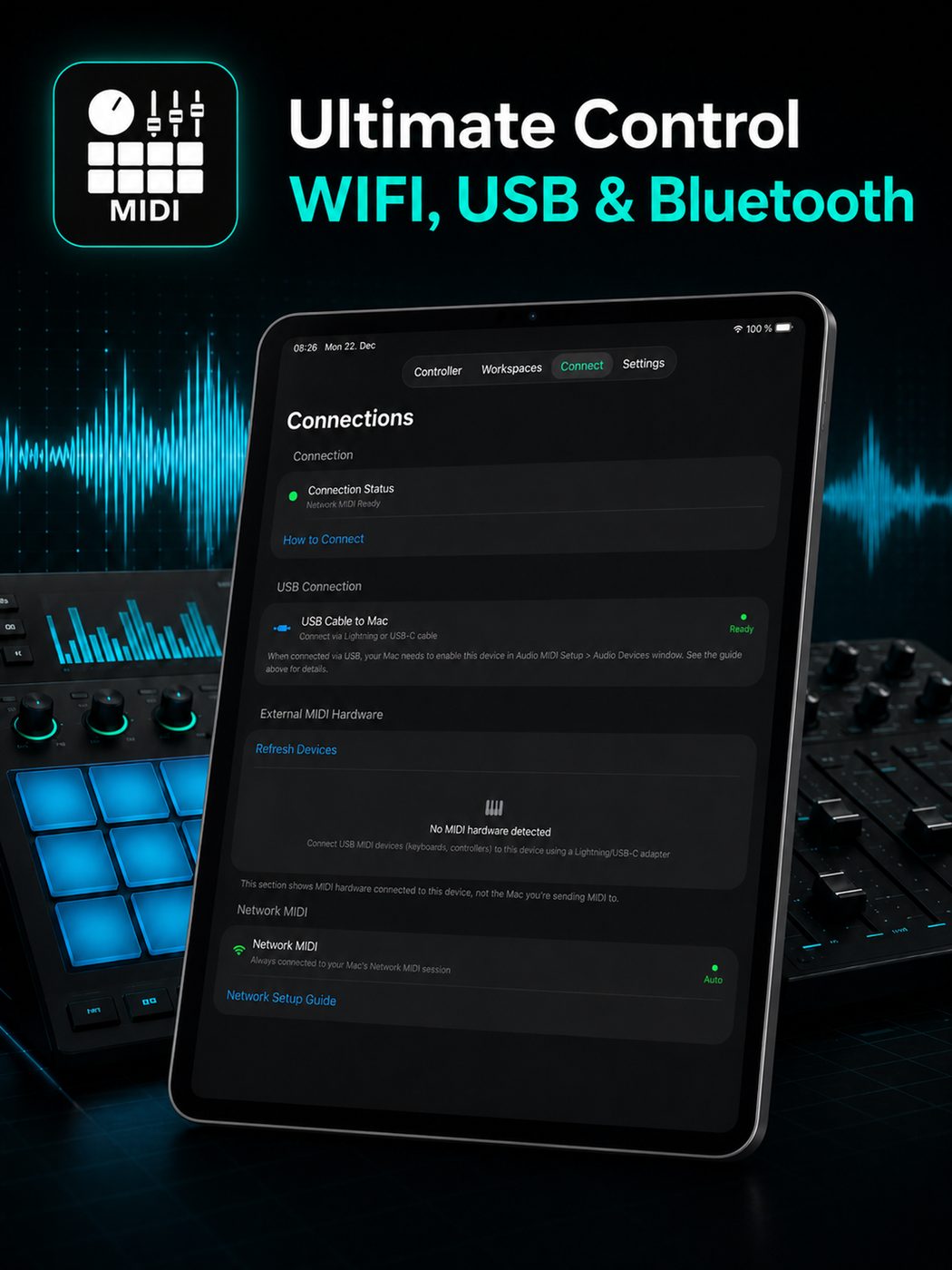
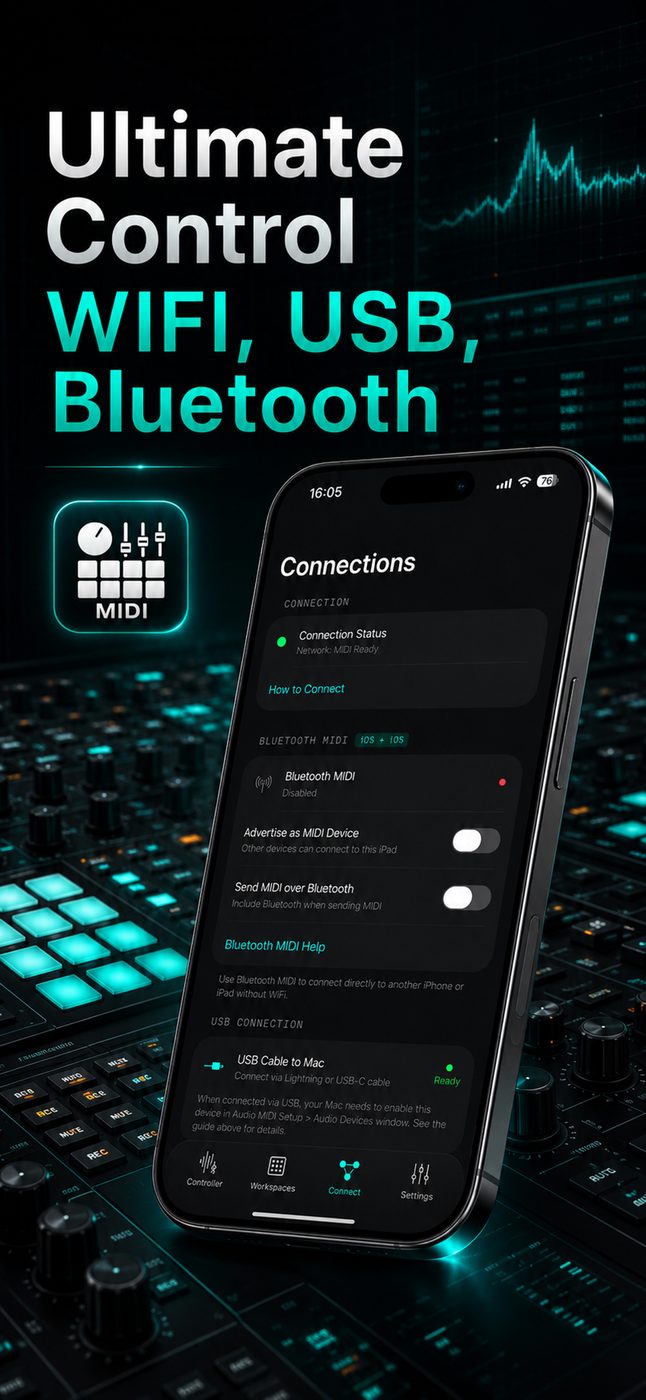
Connect the way your studio or stage demands. Plug in over USB for zero-latency control, pair over Bluetooth for cable-free rehearsal, or use Wi‑Fi MIDI for flexible wireless routing to Mac, PC, or other devices on your network.
DAW remote for live & studio
Control Ableton,
FL Studio & more
Use your iPhone or iPad as a live remote for session view, mixer faders, transport, and instrument input. MIDI Controller PRO speaks standard MIDI — so Ableton Live, FL Studio, Logic Pro, Bitwig, and TouchOSC-style workflows all work out of the box once mapped.
CC mapping made visual
Knobs, sliders &
mixer remote
Assign any control to MIDI CC numbers for deep remote mixing. Ride channel faders, tweak synth filters, or map a XY pad to multiple parameters — the same flexible mapping approach used by pro control surfaces and apps like LK Remote, without buying extra hardware.
Showcase
Live control &
studio remote
From wireless stage performance to bedroom studio production — a pocketable virtual MIDI surface with pads, keys, faders, and step sequencer output.
A virtual MIDI controller for modern producers
Hardware MIDI controllers are great until you need a different layout for every project. MIDI Controller PRO gives you a virtual control surface on iPhone and iPad — keyboard, pads, faders, knobs, sliders, step sequencer, and XY controls you arrange yourself. It is built for producers who want Ableton Live remote control, FL Studio mixer access, or a TouchOSC-style custom panel without maintaining separate templates on a desktop.
Whether you spell it controller or controler, the goal is the same: send MIDI notes and CC from a device you already carry. Connect over USB for wired studio sessions, Bluetooth for wireless rehearsal, or Wi‑Fi MIDI when your Mac or PC is on the same network. Output routes to your DAW, virtual instruments, notation apps, or any software that accepts standard MIDI input.
Pads, keys, sequencer & remote mixing in one app
Launch clips with pad grids, play melodies on the keyboard, program step sequences, and mix with on-screen faders — all from one customizable surface. Map CC to any parameter your DAW exposes: filter cutoff, send levels, macro knobs, or transport controls for live performance.
MIDI Controller PRO is free to download on the App Store. Unlock PRO for the full toolkit when your studio or live setup needs every layout, connection option, and control type. Pair it with your existing workflow — from bedroom production to stage rigs — and keep your remote control surface in your pocket.
FAQ
Questions about
MIDI Controller
Does MIDI Controller PRO work with Ableton Live?
Yes. MIDI Controller PRO sends standard MIDI over USB, Bluetooth, and Wi‑Fi. Enable it as a MIDI input in Ableton Live to control clips, instruments, mixer faders, and any CC-mapped parameter — ideal as a wireless DAW remote for live sets and studio sessions.
Can I use it with FL Studio on Windows or Mac?
Yes. FL Studio accepts MIDI input from iOS over USB and network MIDI. Map pads to drum channels, assign knobs and sliders to mixer tracks or plugin parameters, and use the built-in step sequencer to send note output into your patterns.
How does MIDI Controller PRO compare to TouchOSC or LK Remote?
TouchOSC focuses on OSC protocol; LK Remote targets Ableton specifically. MIDI Controller PRO is a native MIDI control surface with pads, keyboard, faders, step sequencer, and freeform layouts — sending MIDI CC and note data to any DAW, not just one host app.
What connection options are supported — USB, Bluetooth, or Wi‑Fi?
All three. USB offers the most reliable wired connection for studio use. Bluetooth keeps your setup cable-free for rehearsal and small stages. Wi‑Fi MIDI routes wirelessly to Mac or PC on the same network — useful when you want a virtual controller without a physical cable run.
Can I map knobs and sliders to MIDI CC?
Yes. Every knob, slider, fader, and XY pad can send MIDI CC messages you define. Use this for remote mixer control, synth parameter automation, or any CC-mappable target in your DAW and virtual instruments.
Is there a step sequencer built in?
Yes. MIDI Controller PRO includes a step sequencer component so you can sketch rhythmic and melodic patterns on iPhone or iPad and send the MIDI output directly into your DAW or hardware synth chain.
Guides & resources
MIDI guides for
producers & performers
Learn how to use MIDI Controller PRO as a DAW remote, map MIDI CC, choose wireless connections, and build custom control surfaces for Ableton Live, FL Studio, and more.
How to Use Your iPhone or iPad as a MIDI Controller for Ableton Live
Set up MIDI Controller PRO as a wireless DAW remote for Ableton Live. Control clips, mixer faders, instruments, and MIDI CC over USB, Bluetooth, or Wi‑Fi.
Read guide →MIDI CC Mapping Guide: Remote Control Knobs, Sliders & Mixer Faders
Learn how MIDI CC mapping works and how to assign knobs, sliders, and faders on iPhone or iPad to control any DAW parameter remotely.
Read guide →USB vs Bluetooth vs Wi‑Fi MIDI: Which Connection Is Best?
Compare USB, Bluetooth, and Wi‑Fi MIDI for iPhone and iPad control surfaces. Latency, reliability, and studio vs live performance tips.
Read guide →Build a Custom MIDI Surface with Pads, Keyboard & Step Sequencer
Design your own virtual MIDI control surface on iOS — pads, keys, faders, knobs, and step sequencer in one freeform layout for studio and live use.
Read guide →TouchOSC Alternative: Native MIDI Control Surfaces on iOS
Compare TouchOSC and MIDI Controller PRO for iPhone and iPad. OSC vs MIDI, DAW remote workflows, pads, faders, and step sequencer on iOS.
Read guide →Remote Mixing with Virtual Faders and Knobs from iPad
Use iPhone or iPad as a wireless mixer remote — virtual faders, knobs, and sliders for studio mixing and live sound control via MIDI CC.
Read guide →Gallery
See MIDI Controller
Download MIDI Controller
Free on the App Store — build your custom MIDI control surface with USB, Bluetooth & Wi‑Fi.